IST PVSolar Simulator for PM Surya Ghar Installers: From Site Visit to SLD, BOQ and Quotation
PM Surya Ghar Muft Bijli Yojana has turned residential rooftop solar into a volume business. For an empanelled vendor, the challenge is no longer only winning leads. It is turning each lead into a correct design, a clear quotation and a clean set of documents quickly enough to keep up with demand.
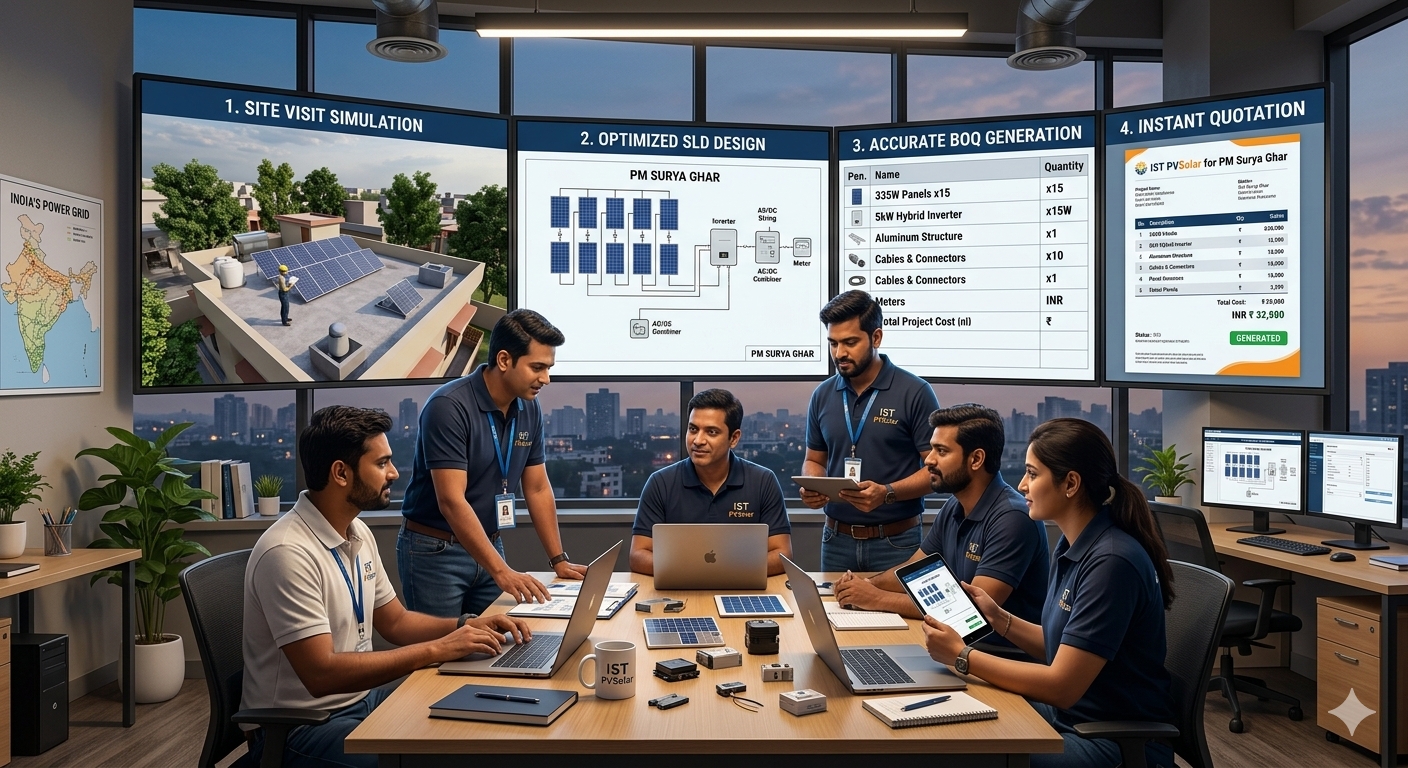
This article shows how IST PVSolar Simulator fits that workflow: size from the customer's real load, validate the electrical design, then generate the single-line diagram (SLD), bill of quantities (BOQ), quotation and PM Surya Ghar documents from the same project data.
The PM Surya Ghar workflow in brief
Public guides describe a process that runs through the National Portal for Rooftop Solar (pmsuryaghar.gov.in), with the consumer, the DISCOM and an empanelled vendor each playing a part. In outline:
- The consumer registers on the portal and files a rooftop application with their DISCOM and consumer number.
- The consumer selects an empanelled vendor, who accepts the application.
- An agreement is signed and the vendor uploads a site feasibility report after a physical visit.
- The vendor installs the system using domestic content requirement (DCR) modules.
- Inspection, net metering and commissioning follow, and the vendor uploads the commissioning details.
- The central subsidy is released by direct benefit transfer to the consumer's bank account.
Published guides describe the central subsidy as ₹30,000 for 1 kW, ₹60,000 for 2 kW and ₹78,000 for 3 kW and above, with no increase beyond 3 kW and higher amounts reported for special category states. Some states add their own top-ups. Treat these as reported figures and confirm them on the official portal before quoting, because scheme terms and deadlines can change.
For the installer, that process creates a steady demand for accurate, consistent paperwork. That is where design software earns its place.
Why PM Surya Ghar installers need more than a yield calculator
A residential rooftop project has specific demands that generic tools handle poorly:
- Irregular roofs. A house rarely has one flat, uniform surface. Each roof face has its own azimuth, pitch and obstructions.
- Real consumption. The right system size depends on what the household actually uses, not just how much roof is free.
- A fast sales cycle. Every day between the site visit and the signed quotation is a day a competitor can use.
- Paperwork volume. Each project needs drawings, a quantity list and a commercial document that match each other.
IST PVSolar Simulator is built around these rooftop realities.
Step 1: Size the system from consumption
Most rooftop tools start from roof area and work forward. IST PVSolar Simulator starts from a day and night load tally, based on appliance-level consumption split between day and night, and works back to a recommended kWp. It accounts for system losses, inverter efficiency and battery round-trip efficiency, and checks the result against both average and worst-month solar resource.
For PM Surya Ghar, this helps you answer the question customers actually ask: how much of my bill will this system remove? It also helps you explain why a customer might choose 3 kW rather than a larger system, given that the central subsidy stops rising at 3 kW.
Step 2: Model the real roof
The platform tracks each roof face independently, with its own azimuth, pitch and mounting condition, rather than averaging a complex roof into one fictional tilt. Automated horizon and near-building shading analysis then show how neighbouring buildings and rooftop objects affect output. A yield estimate built this way is more honest, and more defensible if a customer questions it later.
Step 3: Validate the electrical design
Every sub-array configuration is checked live. Open-circuit voltage at minimum winter temperature is compared against the inverter's maximum DC voltage. Maximum-power voltage is checked against the MPPT window at both temperature extremes, and current is checked against per-MPPT limits. The checks use real single-diode I-V modelling, so string problems are caught before installation rather than after.
If you add new modules or inverters often, AI datasheet extraction can pull I-V curve points and efficiency data straight from a manufacturer's PDF, so a new product does not mean hours of manual transcription.
Step 4: Generate the documents from one project
The main advantage for a high-volume vendor is that the documents come from the same data. Change the module, the system size or the tariff, and everything updates together.
|
Document |
What the installer gets |
|---|---|
|
PM Surya Ghar document |
Report layouts designed for PM Surya Ghar and DPR-style submissions, with system details, yield and savings drawn from the project |
|
Single-line diagram (SLD) |
A diagram generated from the design, so it matches the array, inverter and protection selected |
|
Bill of quantities (BOQ) |
Quantities and items drawn from the project, ready to price |
|
Quotation |
An EPC proposal with CAPEX, BOQ, project schedule, financial summary and terms and conditions |
|
Schedules |
Cable and protection schedules aligned with the electrical design |
Reusable company and customer profiles mean you do not retype your company details on every quote. That sounds small, but it matters when you are issuing many proposals a week.
A practical note: the National Portal has its own forms and uploads, including the site feasibility report, DCR certificate and commissioning details. The simulator helps you prepare accurate supporting content, but those submissions are still made on the portal in the format it requires. Always check what your DISCOM and state nodal agency ask for.
Step 5: Show the customer the numbers
A signed quotation depends on trust. The platform can show the customer expected generation, monthly savings and payback using the customer's own tariff, and you can enter the subsidy as a reduction in net cost so the payback reflects what they actually pay. Where storage matters for backup, battery capacity and power are suggested from the night-load tally and the desired days of autonomy, and the backup runtime estimate shows whether the load or the inverter's rated power is the binding limit.
Why this matters more as you scale
Shortcuts that are tolerable at low volume become the ceiling as volume grows. Averaging a complex roof, sizing by rule of thumb and re-typing company details on every quote all slow you down and increase the chance of errors. A tool that removes those shortcuts from the start lets growth in leads turn into growth in signed and commissioned projects, rather than growth in engineering backlog.
A practical workflow for a PM Surya Ghar project
- Visit the site and record the roof faces, obstructions and the customer's loads.
- Create the project in IST PVSolar Simulator and enter the load tally.
- Draw the roof faces and run the shading analysis.
- Select DCR-compliant modules and an inverter, then build the sub-arrays.
- Check the live electrical validation and fix any warnings.
- Add the subsidy and tariff, then review generation, savings and payback.
- Generate the SLD, BOQ and quotation.
- Prepare the supporting documents for the National Portal and DISCOM.
Who benefits
|
User |
Benefit |
|---|---|
|
Empanelled PM Surya Ghar vendors |
Faster design-to-quotation, with consistent documents |
|
Rooftop EPCs |
Fewer mismatches between SLD, BOQ and proposal |
|
Sales teams |
Clear savings and payback numbers for the customer |
|
Design engineers |
Electrical checks and shading analysis before installation |
|
Growing installer businesses |
Less engineering backlog as lead volume rises |
How IST PVSolar Simulator can help installers grow
Faster sales conversion
Move from a site survey to a structured, professional proposal instead of preparing every document independently.
Better technical confidence
Use simulation and engineering calculations to explain system capacity, expected generation, shading and design decisions.
More consistent project documentation
Standardize SLDs, BOQs, energy reports and proposals across sales and engineering teams.
Scalable installer operations
Help solar entrepreneurs and EPC teams handle more enquiries with a repeatable design-to-quotation workflow.
Visit the official website: IST PVSolar Simulator.
Note: Confirm the exact automation and export functions available in your IST PVSolar Simulator version before advertising one-click SLD, BOQ or quotation generation.
Frequently asked questions
Can IST PVSolar Simulator generate a PM Surya Ghar document? The platform includes PM Surya Ghar and DPR-style report layouts built from your project data. Portal submissions themselves are still made on the National Portal.
Does it create the SLD, BOQ and quotation? Yes. The SLD, BOQ and EPC proposal are generated from the same project, so they stay consistent when the design changes.
Can I design for DCR modules? Yes. You can select modules from your catalogue or import new ones, including from a PDF datasheet. Confirm DCR status and ALMM listing with the manufacturer's documents.
Is the subsidy amount built in? You can enter the subsidy as a reduction in net cost. Confirm the current amount for your category and state on the official portal.
Does the software replace DISCOM approval or portal steps? No. It supports accurate design and documents, while approvals, inspection, net metering and portal submissions remain the vendor's responsibility.
Design faster, quote faster, install more
For a PM Surya Ghar installer, speed and accuracy are the same goal. A tool that sizes from real consumption, checks the electrical design and generates the SLD, BOQ and quotation from one project lets you spend less time on paperwork and more time on installations.
Read the original article, Why IST PVSolar Simulator Is the First Choice for Rooftop Solar Teams, explore the product page, or create an account to start your first project.